 |
|
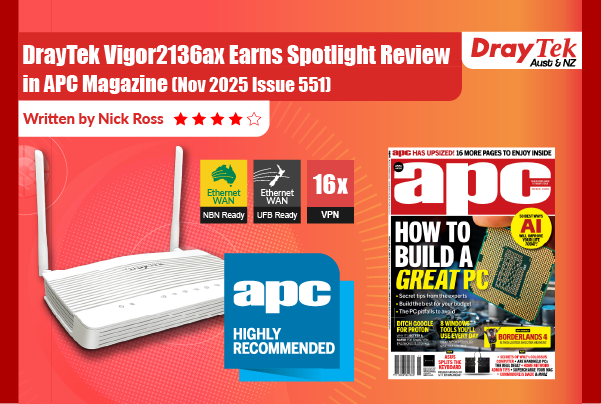
DrayTek’s latest router has faster ports and an overhauled OS with many business-management upgrades.
|
 |
|
If you’re not familiar with DrayTek, it’s an old-school router maker that makes old-school routers that use old-school user interfaces along with bleeding edge security, privacy and VPN technologies for modern businesses. I could review the latest model, the SMB-focused Vigor2136ax, by simply listing all the relevant code numbers and acronyms that define it. So, let’s see if we can humanise what’s on offer...
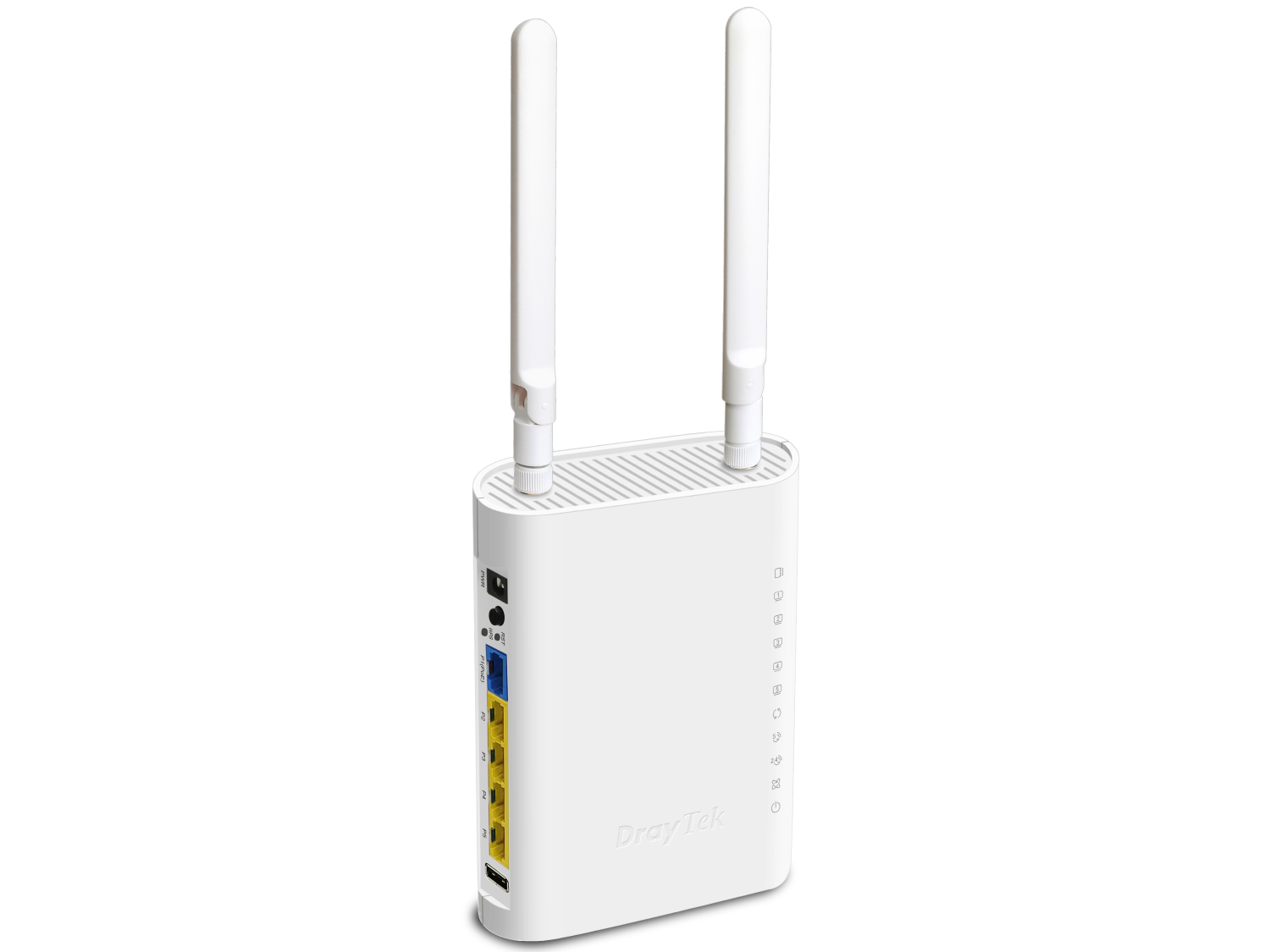
The basic-looking router thumbs its nose at rivals which take their design cues from furniture, robot crabs and space ships. It has a 2.5GbE WAN port, a 2.5GbE configurable WAN/LAN port and three Gigabit LAN ports. There are also two USB ports that can be used for connecting an FTP server, print server, thermometer or 4G failover adapters.
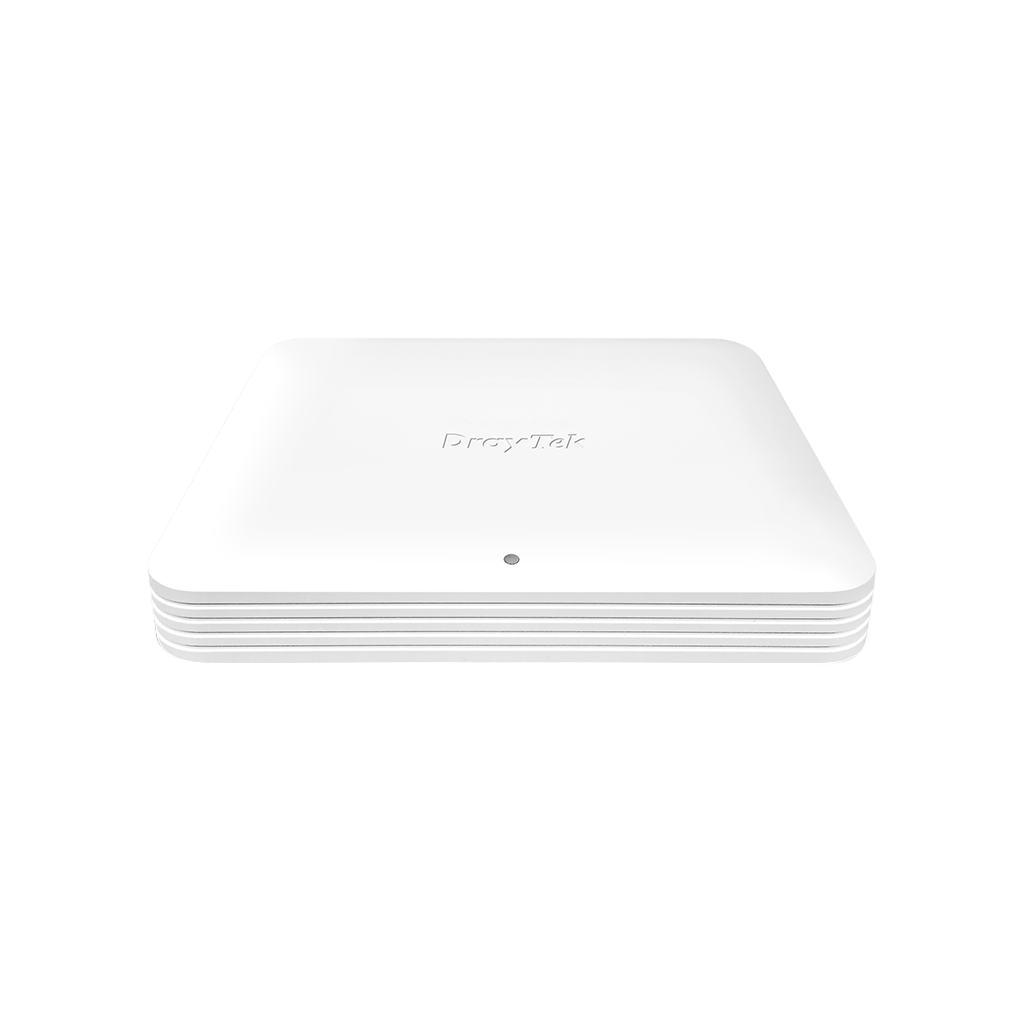
It supports Wi-Fi 6 at dual-band AX3000 speeds. Being DrayTek, there’s also a version without Wi-Fi for those who view it as a security risk. Either unit can function with up to seven of DrayTek’s new, modern-looking (cylindrical) VigorAP 805 access points which run the same firmware.
DrayTek makes the point that, compared with the previous Vigor2135, the 2.5Gbps ports push throughput up from 950Mbps to 2.3Gbps (and make IPSec throughput 2.3x faster).
For new users, the DrayOS 5 firmware is the star of the show. Accessed via web browser, it provides responsive access to countless settings related to all things networking.
Notable features (for the target market) include it arriving fully optimised to easily connect to multiple ANZ broadband WAN technologies from providers including NBN and Starlink. It also lets you easily set up and configure multiple LAN and Wi-Fi networks.
Both the 2.4GHz and 5GHz Wi-Fi channels can be set to connect to Wi-Fi hotspots for failover provision which, in conjunction with two 4G dongles and the W/LAN port, can guarantee uptime by bringing the number of potential, simultaneous, failover connections to five (!)
Other features that go above and beyond the norm include DrayDDNS which provides easy and secure remote access to the router from anywhere in the world; multiple QoS configurations that revolve around manual settings and applications; a business-grade firewall; plus extensive web-content filters with an option for utilising pre-configured subscriptions.
Its statement features revolve around VPN capabilities. The new hardware has sixteen built-in VPN tunnels (up from two in the previous model) but the main attraction surrounds the identity and access management features. There are numerous options to manage both individual users and user groups (which might mean teams of telemarketers). Multi-factor security features are available (as are one-time passwords) and DrayTek’s free Smart VPN Client can be used on Windows, Mac, Android and iPhone. Numerous monitoring, logging and reporting features are also present.
At the end of the day, the DrayTek Vigor2136ax is the router you use to remotely manage an office that caters to remote workers. It prioritises security and reliability much more than any other networking product we’ve reviewed here, and it offers significantly more supporting hardware and services too. You’ll know if you need it. If you don’t, it’s not for you.
|
|
| Products |
 |
| Overview |
- Ready to connect to NTD (Network Termination Device) of NBN (Aust) and UFB (NZ)
- 1 x 2.5 Gigabit WAN port with 2 x USB ports for 4G Mobile Fail-Over
- 1 x configurable 2.5 GbE WAN/LAN port (P1)
- 3 x Gigabit LAN ports with 50,000 NAT sessions
- NAT throughput with Hardware Acceleration over 2.3 Gbps
- IPsec VPN throughput up to 390 Mbps (AES 256 bits)
- Object-based SPI Firewall, Content Security Management (CSM) and IP Reputation
- IAM (Identity and Access Management) to enhance security management and user experience
- IPv6 & IPv4
- 802.11ax (AX3000) Wi-Fi up to 574 + 2402Mbps speed (ax model)
- 16 x VPN tunnels, including IPsec, OpenVPN, and WireGuard, with EasyVPN features that simplify VPN setup for effortless connectivity
- 2 x USB ports for 4G Backup, FTP server, network printer or thermometer
- Virtual AP Controller for the deployment of up to 9 wireless VigorAPs
- Wireless Mesh (ax model) up to 7 VigorAPs
- Virtual Switch Controller to manage up to 5 VigorSwitches
- Supports VigorACS 3 (Central Management system) for multi-site deployment
- 2 years back to base warranty
|
| Vigor2136 Series 2.5GbE WAN High-Speed Router |
Vigor2136 Series is a broadband router featuring a super-fast 2.5GbE WAN port that meets the demands of modern-day businesses. With a hardware accelerator, it delivers up to 2.3 Gbps performance with plenty of business-grade features, including Web Content Filtering, Route Policy, App-based QoS, Object-oriented SPI Firewall, 16 x VPN tunnels, Tag-based VLAN, traffic management, etc.
The Wi-Fi model of Vigor2136 Series supports 802.11ax Wi-Fi with Multiple/Hidden SSIDs, WDS, AP Discovery, SSID VLAN grouping with LAN ports, Wireless Rate Control, and WMM (Wi-Fi Multimedia). |
1 x 2.5GbE WAN & 1 x 2.5GbE LAN/WAN Switchable
|
16 x VPN tunnels
IPsec throughput up to 390 Mbps
|
AX 3000
Delivers link rate up to 3 Gbps (ax model only)
|
50k NAT sessions
Recommended for a network of up to 30+ devices
|
|
|
Interface
|
 |
- 1 WLAN/WPS Button (ax model)
- 2 Reset Button
- 3 WAN Port: 1x 2.5GbE RJ-45
- 4 LAN/WAN Switchable Port: 1x 2.5GbE RJ-45
- 5 LAN Port: 3x GbE RJ-45
- 6 2x USB 2.0
- 7 Power On/Off Switch
- 8 Power Input
- 9 Wireless Antenna (ax model)
|
|
Performance Comparison: Vigor2136 vs. Vigor2135
|
| NAT throughput with Hardware Acceleration (2.56x times faster) |
| Vigor2136 Series – 2.3 Gbps |
|
| Vigor2135 Series – 900 Mbps |
|
| |
| IPSec throughput (2.3 times faster) |
| Vigor2136 Series – 350 Mbps |
|
| Vigor2135 Series – 150 Mbps |
|
|
|
| Multi-Gigabit Router |
Faster Wired Connections
- 4K video streaming
- Online Gaming
- Large file transfers
- Network-attached storage (NAS) devices etc
Beyond Gigabit
With internet speeds of up to 2.5 Gbps, users can fully utilize the available bandwidth. |
 |
|
| Effortless and Secure VPN Access with EasyVPN |
 |
Setting up a VPN can often be complex, involving protocol selection, manual configurations, and troubleshooting, especially for non-technical users. While Vigor routers support advanced VPN protocols such as IPsec, WireGuard, and OpenVPN, traditional setup methods can be time-consuming and daunting.
EasyVPN simplifies this process by offering a streamlined, hassle-free solution for secure remote connectivity. With EasyVPN, users can quickly establish encrypted connections without the need to:
- Manually generate WireGuard keys
- Import OpenVPN configuration files
- Upload certificates
By automating these steps, EasyVPN delivers a fast, secure, and intuitive VPN experience—perfect for businesses and users who want robust protection without the technical complexity.
|
|
Hardware NAT & Routing
|
| With hardware acceleration enabled, the Vigor2136 Series achieves up to 2.3 Gbps NAT throughput while maintaining QoS performance — ensuring business-critical applications are prioritised. |
| LAN (2.5GbE) to WAN 1 |
2.3 Gbps
|
| LAN (1GbE) to WAN 1 |
950 Mbps
|
|
|
IAM (Identity and Access Management)
|
Vigor2136 Series with the new DrayOS5 is Zero Trust ready!
IAM (Identity and Access Management) is a cybersecurity system that controls user access by managing digital identities, authentication, and authorisation, to ensure correct access to network resources such as applications and devices. |
 |
With processes including identifying, authenticating, authorising users or groups, and assigning appropriate levels of access, IAM enhances both security management and the user experience and plays an important role in cloud-based services.
The IAM solution from Vigor2136 is Zero Trust Ready, and allows you to grant and categorize user privileges, create and manage access policies, and define large-scale group policies that integrate multiple filtering rules and traffic-shaping settings. |
| |
Users & Groups
- User accounts and user groups allow flexible access level control.
- Existing external authentication server is supported.
- User and MFA protection can be easily configured.
|
 |
Access Policies
System administrators can create access policies for the local users in this tab. The access policies can be configured based on:
- MAC address filter list
- The allowed / blocked user list
- The login sessions lifetime
Access policies can be combined to create a robust security framework for your system. |
 |
Conditional Access Policy
Conditional access policies can be configured to request users to provide multiple forms of authentication before granting appropriate access to a resource.
- Specify a period for the user to re-authenticate
- Restrict access to specific source IP addresses or ranges of IP addresses
- Specify VLAN-based access level in your conditional policies
- Set up time schedules when users are allowed to log in
|
 |
|
Resources Tab
Configure local resources such as IP and MAC addresses for workstations, network printers, PBX systems, NVR systems, servers, etc.
|
| |
|
Backup and Restore
Backup or restore router settings such as Users and Groups, Access and Group Policies, etc. A password protection can be applied before backup or restore.
|
 |
|
URL Reputation
|
URL Reputation is a cloud-based threat intelligence service that adds an extra layer of security to protect LAN clients during their online activities.
With a total of 82 content categories, including 10 security-focused ones, it provides comprehensive and up-to-date protection for both home and business networks.
These categories cover a wide range of areas—from malware, spyware, and adware, to parental controls, business productivity, and social networking—helping to create a safer online environment, enhance employee productivity, and support efficient bandwidth management. |
 |
| IP Reputation |
Every internet communication involves source and destination IP addresses. Cybercriminals often exploit known malicious IPs to launch attacks using various techniques, including:
- Botnets
- TOR nodes and anonymous proxies
- Command-and-Control (C2) servers
- Phishing servers
- Distributed Denial of Service (DDoS) attacks
|
 |
| IP Reputation helps identify and block traffic from these high-risk IP addresses, adding an essential layer of network protection against cyber threats. |
Blocking communication with malicious IP addresses is critical for network security. However, relying on static blocklists is no longer effective, as they lack the real-time, predictive intelligence needed to combat evolving threats. The IP Reputation Service addresses this challenge by delivering dynamic, real-time scoring and classification of IP addresses. It enables the automatic blocking of:
- High-risk traffic
- Suspicious proxies
- Malware distributors
- IPs associated with recent malicious activity
The system evaluates IPs based on multiple factors, including infection history, protocol behaviour, and attack frequency. Each IP is assigned a reputation score, which determines whether it should be trusted, monitored, or blocked, ensuring proactive and intelligent network protection. |
You can purchase a URL Reputation B card for your Vigor2136 series
|
|
|
Vigor2136ax 2.5GbE Router
with AX3000 (WiFi 6) capacity
|
 |
| Vigor2136ax is a 2×2 dual-band Wi-Fi router that provides 160 MHz bandwidth and 1024-QAM modulation to greatly increase wireless data speed. The theoretical speed is up to 3,000 Mbps, of which 574 Mbps is in the 2.4 GHz band and 2,402 Mbps in the 5 GHz band—about 2.5× faster than an 802.11ac 2×2 dual-band router. Equipped with business-grade features including URL Reputation, Route Policy, App-based QoS, and more, Vigor2136ax is perfect for professional smart homes/SOHO users who want full control of their network. |
|
|
| OFDMA (Orthogonal Frequency Division Multiple Access) |
| With OFDMA, each channel is made up of 256 subcarriers spaced 78.125 kHz apart (vs. 64 subcarriers at 312.5 kHz with OFDM). With up to 4× data efficiency and more advanced channel-sharing technologies, bandwidth can be allotted based on assessed needs for the highest airtime efficiency. For example, streaming/VoIP users can be allocated more airtime, while email/web browsing can receive less (still sufficient), improving user experience in high-density environments. |
 |
|
|
| MU-MIMO |
 |
| BSS Colouring |
| Instead of CSMA/CA (which allows only one device to transmit at a time), 802.11ax uses BSS Colouring to manage collision avoidance. Each Wi-Fi device is assigned a Basic Service Set (BSS) colour (6-bit field) and adjacent devices use different colours. Before transmitting, a device checks the BSS and backs off only when the colour matches its own. This maximises spectral efficiency—APs and clients can transmit simultaneously even on the same channel. |
 |
|
|
| TWT (Target Wake Time) |
| Devices negotiate with the AP for a Target Wake Time (TWT), or join a TWT broadcast session, and transmit only when the TWT arrives—reducing power consumption and increasing network efficiency. |
 |
|
|
| WPA3 (Wi-Fi Protected Access 3) |
| WPA3 enhances Wi-Fi security by addressing vulnerabilities in previous standards (WEP, WPA and WPA2) and introducing stronger authentication, improved encryption, and better protection against brute-force and man-in-the-middle attacks. |
DrayTek’s Wi-Fi 6 encryption:
- WEP (64 / 128-bit)
- WPA / WPA2 / WPA3 / OWE
|
|
The table below compares the security design of Wi-Fi protocols WEP, WPA, WPA2 and WPA3.
| |
WEP |
WPA |
WPA2 |
WPA3 |
| Encryption |
RC4 |
TKIP / RC4 |
AES-CCMP |
AES-CCMP /
AES-GCMP |
| Session Key |
64/128-bit |
128-bit |
128-bit |
128/256-bit |
| Authentication |
Open / Shared key |
Pre-shared key |
Pre-shared key |
SAE / 802.1X |
| Level of Security |
Very low |
Low |
Moderate |
High |
|
AP-Assisted Roaming – built-in in selected Wi-Fi Vigor Routers and all Vigor Access Points
|
 |
Extend Transmission Range
When a Wi-Fi client moves out of its effective transmission range which is defined by the Basic Rate and/or Received Signal Strength threshold, the AP forces the Wi-Fi client to pick up a nearby access point with stronger signals thereby extending the range.
Improve Data Rates
When the “Minimum RSSI with Adjacent AP” option is set, APs or routers on the same local subnet will exchange client information with each other and switch to the AP or router that has the strongest signal, ensuring that data rates can be as good as possible.
Better User Experience
Instead of ineffective transmission with low basic rates or RSSI, the better links provide better user experience while saving the airtime.
No Controller Required
Assisted Roaming is a built-in feature in all Vigor Access Points and a number of Wi-Fi routers; it saves the need for an ad-hoc wireless controller and is an ideal solution for simple network deployments.
|
Mesh Wi-Fi (Vigor2316ax only)
|
|
Vigor2316ax supports up to 7 APs, which can form one or more Wireless Groups. Each group can form Mesh links automatically based on the optimum signal level among the APs and devices.
|
 |
 |
 |
Hotspot Web Portal
|
|
Market your business while offering free Wi-Fi.
|
 |
Wi-Fi Marketing
Redirect hotspot guests to the company homepage, online surveys, or display a promotion message.
Grow Customer Mailing List
Require guests to leave contact info or social media accounts before they can use the Internet services.
Various Authentication Types
Various login methods are supported to meet your business needs, including Facebook Login, Google Login, SMS PIN, and RADIUS.
3rd-Party Service Compliant
Supports external captive portal authentication so you can keep using the Wi-Fi marketing solution you prefer.
Data Quota Management
Bandwidth management is integrated into the Hotspot features to control the bandwidth and session usage of the Hotspot guests.
|
LAN Management
|
|
The LAN Management platform allows easy and flexible configuration for Vigor devices on the LAN side, supporting up to 20 VigorAPs (including a root AP) and 5 VigorSwitches.
Automatic Device Discovery
Just connect new devices such as Vigor Switches or APs to the LAN port, Vigor2136 will auto-configure the new devices into the network.
|
 |
Provisioning
New devices such as Vigor Switch/AP can be configured into the network automatically.
Monitoring
A summarized view of the network at the same page allows fast monitoring of all devices in the network.
System Maintenance
Tasks such as factory reset, backup and restore of configuration settings, or remote reboot can be performed from the Vigor routers, without needing to log in to the devices’ management pages.
|
| Key Features |
|
 VPN (Virtual Private Network) VPN (Virtual Private Network)
Build a secure and private tunnel from the LAN of Vigor2136 Series to the remote offices and teleworkers over the Internet. Learn more.
 IAM IAM
A solution that manages digital identities, authentication, and access control to ensure the right users or groups have appropriate access to critical resources.
 Bandwidth Management Bandwidth Management
Prevent one device using all the bandwidth by bandwidth limit policy, session limit policy, and QoS settings.
 DrayDDNS DrayDDNS
The free DDNS service for you to access the router by a fixed hostname of your choice. Learn more.
 Firewall & Content Filter Firewall & Content Filter
Filter web pages by URL keyword or web category to block access to insecure or inappropriate contents.
 URL/IP Reputation URL/IP Reputation
Improve network security by classifying URLs and IPs to control web access and protect against online threats. Learn more
 Hotspot Web Portal Hotspot Web Portal
Market your business and communicate with the guests while offering hospitality WLAN. Learn more.
 Virtual AP/Switch controller Virtual AP/Switch controller
All-in-one management platform for Vigor2136 Series to maintain and monitor the VigorAPs and VigorSwitches.
 Mesh (Wireless model only) Mesh (Wireless model only)
Easily link to other VigorAP to expand the wireless network. Learn more.
|
| Wireless Management Solution |
Mesh (ax model)
|
 |
| Up to 7 APs |
- DrayTek Wireless app-support
- Discovery
- Auto-Provisioning
- Monitoring
- Centralized Hierarchy View
|
|
Virtual AP Controller
|
 |
| Up to 9 VigorAPs |
- Auto-Discovery
- Auto-Provisioning
- Monitoring
- Centralized View
- Alarm
- Reboot VigorAP Remotely
- Wi-Fi Client Load Balancing
|
|
Device Management
|
 |
| View and Configure VigorAPs |
- Device List
- Mesh Status
- AP Adoption
|
|
| Switch Management Solution |
SWM
|
 |
Virtual Switch Controller
Up to 5 VigorSwitches |
|
Device Management
|
 |
Display VigorSwitch name, MAC address, IP address, Firmware Version, Model, Online Status, System Uptime, Port in Use, Clients, and Last Process Status.
Scan the network to add new VigorSwitches. |
|
Port Profile
|
 |
| Create profiles that include general settings, VLAN, GVRP, Multicast STP, and QoS settings, which can be applied to the managed switch. |
|
Maintenance
|
 |
|
Perform maintenance tasks for selected VigorSwitch.
Tasks include Configuration backup and restore, Remote Reboot and Factory Reset of the selected switch.
|
|
| Software Management |
VigorACS 3
|
 |
- Zero Touch Deployment & Provisioning
- Auto VPN
- Interface Quality & SLA
- VoIP Optimization & Monitoring
- Application Visibility
- Application Based SD-WAN Policy
- Customized Hotspot Page with Multilingual
- Hotspot Clients Analytics
- ACS Server Load Balancing / Failover
|
|
| In-the-box |
 |
Note :
The throughput figures are maximum, based on DrayTek internal testing with optimal conditions. The actual performance may vary depending on the different network conditions and applications activated
|
| Models |
| Vigor2136ax |
|
Gigabit broadband router with 1 x 2.5GbE WAN port, 1 x Configurable 2.5GbE WAN/LAN port, 3 x GbE LAN ports, SPI Firewall, 802.11ax Wi-Fi (WiFi 6, AX3000), 16 x VPN tunnels including IPsec, OpenVPN and Wireguard
|
|
 |
 |
- Ready to connect to NTD (Network Termination Device) of NBN (Aust) and UFB (NZ)
- 1 x 2.5 Gigabit WAN port with 2 x USB ports for 4G Mobile Fail-Over
- 1 x configurable 2.5 GbE WAN/LAN port (P1)
- 3 x Gigabit LAN ports with 50,000 NAT sessions
- NAT throughput with Hardware Acceleration over 2.3 Gbps
- IPsec VPN throughput up to 390 Mbps (AES 256 bits)
- Object-based SPI Firewall, Content Security Management (CSM) and IP Reputation
- IAM (Identity and Access Management) to enhance security management and user experience
- IPv6 & IPv4
- 802.11ax (AX3000) Wi-Fi up to 574 + 2402Mbps speed (ax model)
- 16 x VPN tunnels, including IPsec, OpenVPN, and WireGuard, with EasyVPN features that simplify VPN setup for effortless connectivity
- 2 x USB ports for 4G Backup, FTP server, network printer or thermometer
- Virtual AP Controller for the deployment of up to 9 wireless VigorAPs
- Wireless Mesh (ax model) up to 7 VigorAPs
- Virtual Switch Controller to manage up to 5 VigorSwitches
- Supports VigorACS 3 (Central Management system) for multi-site deployment
- 2 years back to base warranty
|
|
| Vigor2136 |
| Gigabit broadband router with 1 x 2.5GbE WAN port, 1 x Configurable 2.5GbE WAN/LAN port, 3 x GbE LAN ports, SPI Firewall, 16 x VPN tunnels including IPsec, OpenVPN and Wireguard |
|
 |
 |
- Ready to connect to NTD (Network Termination Device) of NBN (Aust) and UFB (NZ)
- 1 x 2.5 Gigabit WAN port with 2 x USB ports for 4G Mobile Fail-Over
- 1 x configurable 2.5 GbE WAN/LAN port (P1)
- 3 x Gigabit LAN ports with 50,000 NAT sessions
- NAT throughput with Hardware Acceleration over 2.3 Gbps
- IPsec VPN throughput up to 390 Mbps (AES 256 bits)
- Object-based SPI Firewall, Content Security Management (CSM) and IP Reputation
- IAM (Identity and Access Management) to enhance security management and user experience
- IPv6 & IPv4
- 16 x VPN tunnels, including IPsec, OpenVPN, and WireGuard, with EasyVPN features that simplify VPN setup for effortless connectivity
- 2 x USB ports for 4G Backup, FTP server, network printer or thermometer
- Virtual AP Controller for the deployment of up to 9 wireless VigorAPs
- Wireless Mesh (ax model) up to 7 VigorAPs
- Virtual Switch Controller to manage up to 5 VigorSwitches
- Supports VigorACS 3 (Central Management system) for multi-site deployment
- 2 years back to base warranty
|
Videos:
|
 |
|
If you're not in an area with cabled broadband, did you know that DrayTek wireless routers can connect to a wireless hotspot? In some remote areas, you may have access to a wireless broadcast nearby. In this case, a DrayTek wireless router can be configured to connect to it and then share that internet service with your local area network, with all of the same firewall and other security benefits that DrayTek routers provide. It can also connect to a mobile phone's hotspot and use the phone's 4G or 5G internet connection, which can come in very handy if your usual ISP goes down. |
|
|
| Config Demo |
 |
|
Click below for the Config Demo Page:
|
|
|
|
|
|
 |
|
 |
|
|








 The Hub Unit 10 & 24, 128 Station Rd
 (02) 9838 8899
